

Quarticon is a must-have for ActiveCampaign e-commerce clients
Fully automated and personalized product recommedations for e-commerce finally available in ActiveCampaign!
Product recommendations are one of the most powerful tools for increasing conversions in email campaigns for e-commerce industry. Whether you’re advertising a flash sale, product launch, abandoned cart reminder, or recommending new products for the customers, incorporating Quarticon’s AI-mails enhances your mailings in ActiveCampaign and drives action in your emails, boosting conversions over 3x.
In this guide, we’ll show you how to embed an Quarticon AI-mails in ActiveCampaign emails and share effective strategies to maximize its effectiveness.
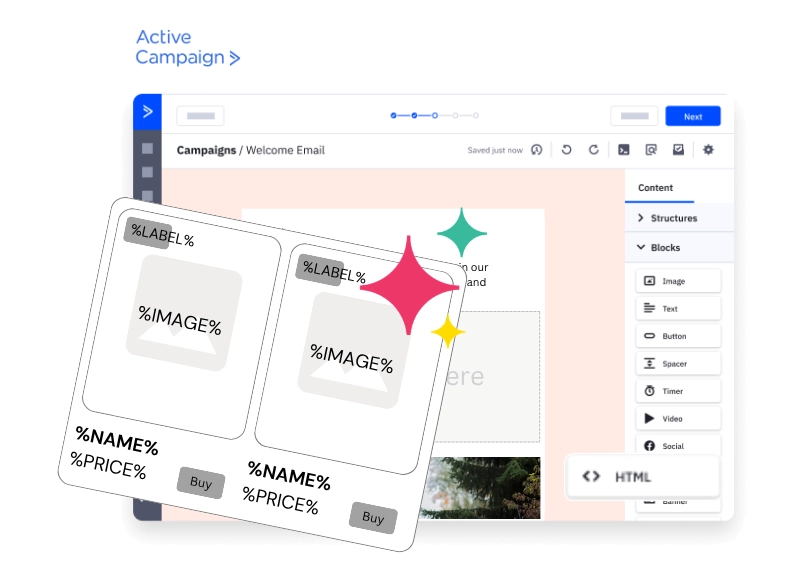
ActiveCampaign and Quarticon’s product recommendations
Integrating Quarticon’s AI Product Recommendations into your ActiveCampaign email campaigns is a proven way to increase conversions. It also helps to save 90-95% of your effort and time while reaching incomparable personalization level in your e-mails.
Whether you’re running a sale, launching new products, or sending reminders, up-to-date and personalized products make your emails more engaging and action-driven. AI based true 1:1 personalization and product recommendations boost conversions 3 times!
How can I embed personalized product recommendations in ActiveCampaign?
Step 1. Generate a snippet in Quarticon
1. Login / set up your account in Quarticon and navigate to AI-mails module
2. First, create a product card template. Customize the appearance by defining size, colors, fonts, layers and much more. Select layout and elements to be displayed, including product name, image, price, previous price, discount or whatever you want.
3. Next, define targeting strategy. There are available regular product suggestions and AI-based recommendations. Regular product suggestions include: bestsellers, popular products, trending within last 7 days, trending in the last 24 hours, last viewed products, abandoned cart. AI-based product recommendations include Recommended for you, popular personalized, cross-selling, up-selling, cross-selling to the abandoned cart, cross-selling to the abandoned session and many more.
4. Copy the generated HTML snippet – this should be inserted into your email template in the next step.
Step 2. Add product block to your ActiveCampaign email
1. Open ActiveCampaign and go to the Campaigns > Templates section.
2. Create or edit a template.
3. Drag an “HTML” block into your email design.
4. Double-click on the HTML placeholder and paste the Quarticon HTML snippet into the HTML Editor field.
5. Save and preview your email to ensure the product block displays correctly.
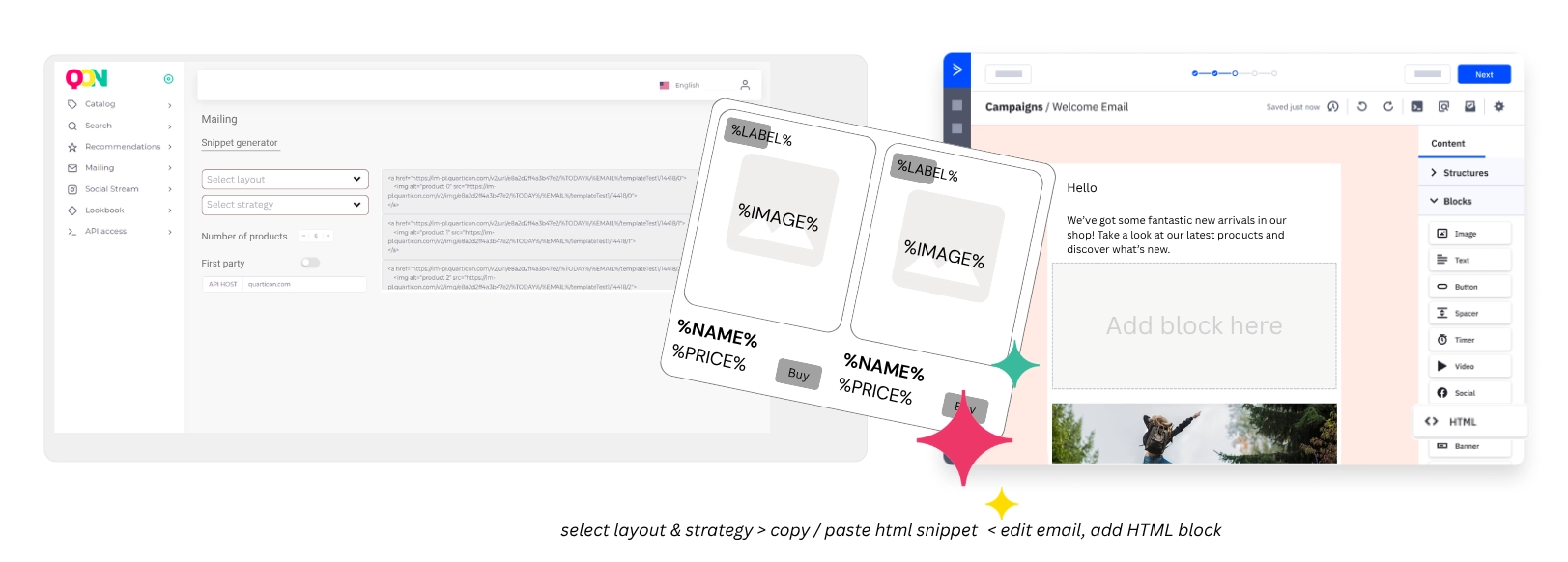
AcitiveCampaign + Quarticon AI-mails – new features available in your e-mailings
Automatically create offers featuring new arrivals
Automatically include new arrivals from your store in emails, newsletters, and even notifications sent from your e-commerce platform.
All you need to do is set it up once in the notification template!
Automatically create PDF newsletter-style emails
Sending PDF newsletters via email is a relic of the past. PDF offers are sent only because structuring an email, for example, with 30 products embedded in the message, is a very complicated and time-consuming task. But not with Quarticon AI-emails.
Embedding 1 product takes 5 seconds; embedding 30 products takes 5 seconds × 30—and it’s a one-time task.
Cross-sell offers in your email campaigns
“Other customers also bought” offers will be available without the need for integration or system upgrades. True 1:1 personalization
Even more possibilities
Learn more about the revolutionary AI-mails service.
Best practices for product recommendations in ActiveCampaign
- Ensure mobile optimization — verify the block displays correctly on all device sizes.
- A/B test placement and design — try different block positions and styles to determine what performs best.
- If keeping the same layout, adjust only the strategy ID to update the block for the next ActiveCampaign send: copy the block and change the strategy ID (for example, from “trending now” to “new arrivals”).
- No change to the email is required when sending the same email type (e.g. trending now). Just update the mailing copy but leave the block unchanged. The products will update automatically. Magic happens here!
- Make your emails in ActiveCampaign autonomous, e.g. “Trending this week in our store” or “Discounted products this week”. The product block powered by Quarticon AI-mails will adjusted displayed products.
- Nothing more should be done to run personalized emails in ActiveCampaign with recommended products. The products displayed in your e-mailing campaign will be adjusted on users level.
How can I start with Quarticon AI-mails?
You will receive a complete guide once you subscribe our product. Generally, it’s easy as ABC. Account-snippet-feed. No further integrations between Quarticon and ActiveCampaign is needed. Your store is the heart of the system. Quarticon and ActiveCampaign will communicate through the heart.
1.
Create a free account in Quarticon
Sign up for a free Quarticon account and get access to the Quarticon apps, including the AI-Emails module.
2.
Add Quarticon’s Universal Tag
Copy the code snippet to your website. It’s very simple, but you’ll also receive instructions via email.
3.
Add product feed
You can select a product feed (in any format, such as Google Merchant, etc.) or use a pre-built app on the e-commerce platform that integrates your product offerings
4.
Create the product card layout
Use the builder to create the product card layout for your email campaigns. Next select strategy of filtering products or running personalized AI recommendations. And that’s all. Now all you have to do is copy the snippet into your email template.
Frequently Asked Questions
What is Quarticon AI‑mails?
Quarticon AI‑mails is a service that provides content personalization in mailings and web push (and beyond) within any marketing automation system. Decisions about product or content selection are made by the Quarticon DE (Decisioning Engine), which is based on proprietary predictive models (pAI).
With AI‑mails you can easily embed a personalized product block into any system (marketing automation, email system, CDP, etc.) and into environments that do not support JavaScript. Without complex integration, it provides a consistent experience across all communication channels, eliminating 90–95% of the tasks and effort needed to prepare a personalized and up‑to‑date product offer in emails.
Do Quarticon AI‑mails use generative artificial intelligence?
No — the system does not use generative AI at all (such as ChatGPT, Gemini, Claude, Mistral, etc.). It uses proprietary predictive AI algorithms trained to match product offers and content. Therefore the system will not write your newsletter intro for you. But it will populate it, for example, with products tailored individually to each subscriber.
Will every recipient receive an individually tailored offer?
Yes. The AI‑mails service, in the higher package, allows individual tailoring of offers to users based on their past purchases, on‑site behavior, and clicks in emails. Offer management is handled by the Quarticon DE (Decisioning Engine).
Does the product offer in the email refresh in real time?
Exactly. The product offer refreshes in real time and does so individually for each recipient. Each time a user opens the email you can be sure the offer in the email content will be up to date. This helps better match the current needs of each recipient and, of course, positively affects conversions.
Can I change the product offer after the email has been sent?
Everyone will tell you that’s a silly question and that of course you can’t. But not with Quarticon AI‑mails! The offer changes dynamically between send and open. Top sellers sold out in the meantime? That’s not a problem. The system will select other well‑selling, available products.
Do I need a developer to start using Quarticon AI‑mails?
No — you don’t need a developer to use Quarticon AI‑mails. The system does not require any complicated integration with the sending system or the e‑commerce platform. That’s the beauty of it. Launching Quarticon in your store takes just a few minutes using the step‑by‑step instructions in the panel.
Can I get help integrating Quarticon AI‑mails into my store?
Yes — our support plan provides full assistance with integration. Quarticon offers an extensive knowledge base and 24/7 technical support, making it user‑friendly.
Can I customize the product appearance to match my email template?
Yes. The user panel includes a product tile builder. You can create any templates containing photos, prices, product names, or only product names, in horizontal or vertical layouts. At the end you define which template to use and which product‑display strategy, and a ready snippet for your mailing is generated
What is Quarticon?
Quarticon is a technology company that provides AI tools for e‑commerce. It was founded in Poland in 2010. The company has developed its proprietary predictive AI models that help increase conversions and sales in online stores. Quarticon provides AI‑based product recommendations in many European countries, including Poland, the Czech Republic, Slovakia, Hungary, Croatia, and Serbia.
How do I get started with Quarticon product recommendations in ActiveCampaign?
Just ask about AI‑mails on Quarticon’s website. Product recommendations in ActiveCampaign require:
- An active AI‑mails subscription with Quarticon
- A product feed linked to your account (Quarticon works with any XML format, including Google Shopping)
- Adding a JS snippet to your site (for tracking and model training)
- A product card (chosen from available templates or designed from scratch in our canvas builder)
You may also like:
- Recommendations and recommendation engines. Simple explained. The question is about conversion, sales and how to stop causing harm to your users immediately.
- The simplest approach is to use a 3rd‑party recommendation service that generates ready-to-use recommendation data. Now available in ActiveCampaign
- Marketing automation was supposed to be a game-changer for e-commerce businesses. It become a source of frustration, complexity, and unexpected costs.